
by myCREcloud | Oct 7, 2021 | Uncategorized
Cloud computing is a widespread standard across the corporate world and has spread into nontraditional fields, like aviation.
The Right Tools
Cloud platforms allow airports to meet their potential and set the standards higher than ever for meeting price-sensitive, resilient and adaptable solutions for commercial airlines, private planes, and travelers.
- Contactless customer processing
- Networking to allow ground handlers, pilots, and customer service agents to communicate on the same infrastructure
- Omnichannel services allow passengers to be updates about their flights at all times
Keeping up with Changing Requirements
COVID-19 has changed the operations of every company, no matter how large or small. Airports previously tailored their tech to security, speed and cost, but the pandemic forced a new way of thinking and an emphasis on cleanliness and remote connection.
Opportunities for Improvement
Global hubs are better supported by cloud computing- this is demonstrated by optimizing passenger processes, air transport communications, and the ability to streamline operations that historically has needed man-power to operate (bag checks).
Cloud computing is revolutionizing aviation from commercial airlines to the private sector and will continue to steadily grow and cloud infrastructures mature.
by myCREcloud | Jul 1, 2021 | Uncategorized
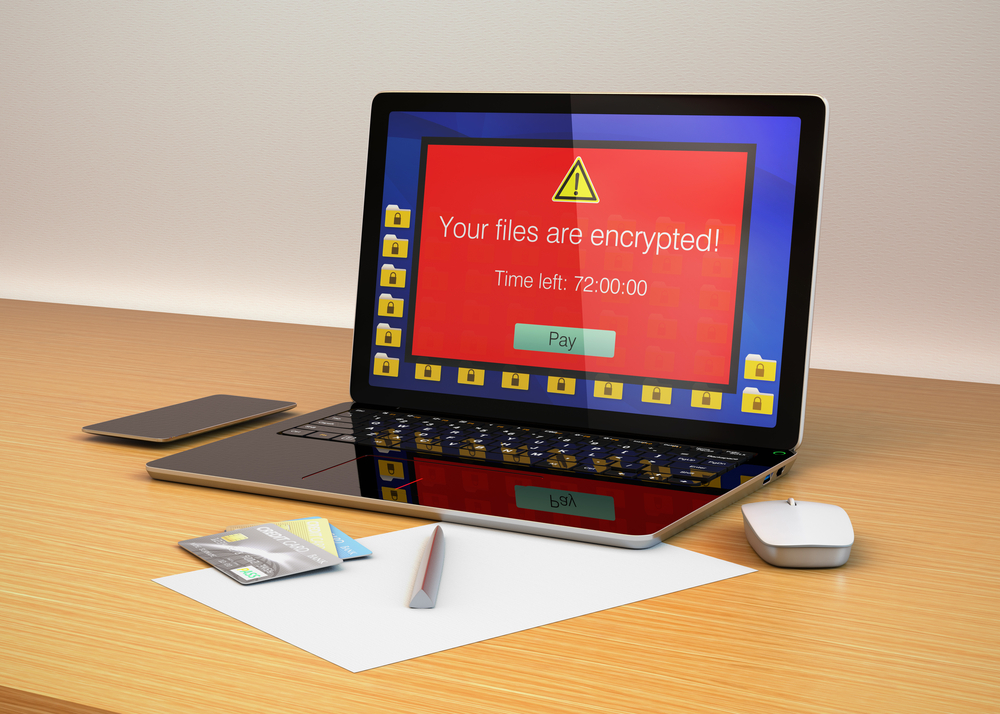
Ransomware infiltrates a user’s PC or mobile device using malicious software that is most commonly installed unintentionally after clicking a link in an email that’s posed as something else. Once it is installed, the software prevents users from accessing their files and demands a sum of money to unencrypt the data. The latest advancements in ransomware introduces a more serious threat for modern businesses, encouraging businesses to take stronger security precautions.
How does ransomware get to your devices or the cloud?
Ransomware is delivered in a wide variety of ways. It can be transferred through:
- Javascript exploits
- Microsoft Office macros
- PDF exploits
- Linus malware
- Backdoors
- Emails
Ransomware uses social engineering to bypass layers of security and once it infects one computer, it can easily spread to every device on the same network (and cloud) via automatic syncing. 1 in 10 companies has some form of malware in their storage – making a strong case for programs that auto-detect malware and recover before malware can spread.
The most common ransomware strains
- Bad Rabbit
- Cryptolocker
- GoldenEye
- Jigsaw
- Locky
- Maze
- NotPetya
- Petya
- Ryuk
- Wannacry
How Do I Prevent Ransomware?
Prevention is the best tool to protecting your devices and business from ransomware. Recommendations include:
- Keeping software up-to-date
- Using unique passwords for your online sign-ins
- Reducing the accessibility of cloud applications to only those who need them
- Reporting suspicious activity
- If you are unsure – take it slow and confirm with a colleague!
- Use two-factor authentication
by myCREcloud | Jun 12, 2025 | MSP
Strategic IT management isn’t a cost center—it’s a driver of efficiency, resilience, and long-term savings.
In a business landscape where speed, security, and scalability determine competitive advantage, technology is no longer just a support function—it’s a foundation. Yet many companies still approach IT reactively, treating it as a line item to manage rather than a strategic asset to invest in. This mindset often leads to increased costs, inconsistent operations, and unnecessary risk.
Proper IT, implemented and managed effectively, does more than “keep the lights on.” It streamlines workflows, protects critical assets, and positions companies to scale with fewer disruptions. When executed by a capable internal team or a managed service provider (MSP), it becomes a key contributor to cost reduction and operational efficiency.
Reduced Downtime Means Real Savings
One of the most direct ways proper IT saves money is by minimizing downtime. Every minute of system or application failure impacts productivity—and in some industries, downtime can quickly translate into lost revenue, project delays, or compliance violations. According to Gartner, the average cost of IT downtime can range from $5,600 to over $100,000 per hour, depending on the size and nature of the business.
Well-managed IT environments incorporate proactive monitoring, automated alerts, and redundant systems that detect and resolve issues before they escalate. This preventative approach significantly reduces the frequency and duration of outages, keeping staff productive and operations running smoothly.
Fewer Emergencies, Lower Support Costs
When IT is poorly managed, problems become unpredictable and urgent—leading to emergency support calls, rushed hardware replacements, and costly consulting engagements. A reactive approach creates volatility in your IT budget and stretches internal resources thin.
Conversely, a properly structured IT program includes standardized processes, routine maintenance, and predictable support. Managed services can offer fixed monthly pricing, allowing for clear budgeting and fewer financial surprises. When systems are stable and support is proactive, costs go down—and user satisfaction goes up.
Cybersecurity Incidents Are Expensive—Prevention Is Not
Cyberattacks have grown more sophisticated, and the cost of a breach continues to climb. From data recovery and legal fees to reputational damage and regulatory penalties, the aftermath of a cyber incident can be devastating.
Proper IT implementation includes robust security measures: multi-factor authentication, endpoint protection, user access controls, encrypted data storage, and regular patching. Additionally, staff security awareness training plays a vital role in reducing human error—the leading cause of breaches. By investing in a layered, defense-in-depth strategy, companies dramatically lower their exposure to costly cyber events.
Efficient Systems Free Up Staff Resources
Outdated systems, slow networks, and inconsistent workflows don’t just frustrate employees—they waste hours of productivity each week. When technology works seamlessly, staff spend less time waiting on software to load, troubleshooting basic issues, or navigating fragmented systems.
Modern IT solutions—whether it’s a centralized file-sharing platform, a cloud-hosted application suite, or a secure VPN for remote access—enable teams to work efficiently and focus on higher-value tasks. The result is a more agile workforce, lower attrition, and better use of internal talent.
Scalability Without Infrastructure Headaches
Companies that invest in the right IT infrastructure can scale with confidence. Whether opening a new office, hiring remote employees, or launching a new service line, proper IT planning ensures growth doesn’t come with unexpected technical setbacks.
Cloud-based solutions in particular offer flexibility and scalability without the burden of managing physical hardware. Resources can be added or reduced as needed, keeping costs aligned with usage and eliminating the capital expense of traditional infrastructure upgrades.

by myCREcloud | Jun 24, 2021 | Uncategorized
More healthcare providers are utilizing digital records than ever before. Being able to store information securely off site is a significant benefit that was once not an option for medical and billing service providers.
What’s the appeal of cloud computing?
- Decreased costs
- Scalability
- Data Security
- Disaster Recovery
Elevating Healthcare
Cloud computing makes it possible to share critical patient information between hospital and health clinics, allows patients to access medical records, and provides a tool for patients to find medical resources.
Clinical Uses
- Physician-patient communication
- Pharmacy orders
- Electronic health record systems
Healthcare Management
- Task Management
- Revenue cycle tracking
- Inventory
- Time tracking
Patient Management
- Patient billing
- Insurance claims
- Interoffice communication
- Medical record transference

by myCREcloud | Mar 3, 2025 | Cloud, MSP
The Hidden Costs of Downtime
In construction, time is money—and when critical applications or data become unavailable, the consequences ripple across your entire operation. Downtime disrupts schedules, delays decision-making, and can even lead to financial penalties on projects with tight deadlines.
Whether caused by server failures, security breaches, or poor IT infrastructure, unexpected downtime can result in:
- Lost productivity – Teams can’t access software like Sage 100 Contractor, Procore, or Bluebeam, leading to stalled projects.
- Delayed approvals and reporting – If financial or project management systems are down, invoices, purchase orders, and reports can’t be processed.
- Data loss and security risks – Without proper backups and security protocols, businesses risk losing critical information.
- Frustrated clients and project delays – When internal delays turn into missed deadlines, client trust and project profitability suffer.
Why MyCreCloud Delivers 99.99% Uptime
At myCREcloud, we understand the importance of keeping your business running 24/7. Our cloud hosting solutions are designed for maximum reliability, security, and performance, ensuring that your applications and data are always accessible when you need them.
Here’s how we minimize downtime and maximize uptime:
1. 99.99% Uptime Guarantee
We keep your business online with an industry-leading 99.99% uptime, significantly reducing the risk of costly disruptions.
2. Three Tier 4 Data Centers for Redundancy
With data centers strategically located in San Diego, Oregon, and North Carolina, your data is protected by geographically diverse, highly secure facilities that provide built-in redundancy to prevent service interruptions.
3. Daily Backups for Data Protection
We perform daily automated backups, ensuring that even in the event of an unexpected failure, your critical data is safe, recoverable, and up to date.
4. Proactive Monitoring & Security
Our team constantly monitors your systems to identify and address issues before they impact your business. With multi-layer security, data encryption, and disaster recovery protocols, your cloud environment remains protected.
Stay Online & Keep Projects Moving
Downtime isn’t an option in construction. myCREcloud’s secure, high-performance cloud hosting solutions ensure that your team stays connected, your applications run smoothly, and your business operates without interruption.
Don’t let IT failures slow you down. Learn more about how we keep construction firms up and running:Cloud | myCREcloud | Sage, Cloud & IT

by myCREcloud | Oct 8, 2024 | Company
The construction and real estate (CRE) industries are in the midst of a technological revolution, with advancements in artificial intelligence (AI) and cloud computing leading the charge. These technologies are not only transforming how businesses operate today but are also laying the groundwork for the future of industry-specific software solutions, such as SAGE. As AI and cloud technologies continue to evolve, they are set to influence the next generation of SAGE software in profound ways, enabling more predictive analytics, automating routine tasks, and creating personalized user experiences that cater to the unique needs of the CRE industry. This essay explores the impact of AI and cloud technologies on the future development of SAGE software, highlighting how these innovations will help companies stay competitive in an ever-changing market.
Cloud Technologies: The Backbone of Future SAGE Software
As AI continues to advance, the need for robust, scalable, and secure cloud computing infrastructure becomes increasingly important. Cloud technologies are set to play a pivotal role in the next generation of SAGE software by providing the necessary platform to support AI-driven features and capabilities. One of the primary advantages of cloud-based SAGE solutions is the ability to access data and applications from anywhere, at any time. This flexibility is particularly valuable in the CRE industry, where professionals often work from multiple locations, including job sites, offices, and remote environments. Cloud-based SAGE software ensures that all stakeholders have real-time access to the most up-to-date information, enhancing collaboration and decision-making across teams.
Another key benefit of cloud technologies is their ability to scale resources on demand, which is essential as AI-powered features become more integrated into SAGE software. As AI algorithms process larger datasets and perform more complex analyses, the demand for computational power and storage will increase. Cloud computing offers the scalability needed to accommodate these demands without the need for significant upfront investments in IT infrastructure. This scalability also allows businesses to adapt quickly to changing needs, whether they are expanding operations, taking on new projects, or adjusting to market fluctuations.
Finally, cloud technologies provide a higher level of security and data protection, which is crucial in an industry where sensitive financial and operational information is at stake. With cloud-based SAGE software, data is stored in secure, redundant data centers with robust encryption and access controls, reducing the risk of data breaches and ensuring compliance with industry regulations. Additionally, cloud providers often offer automated backup and disaster recovery solutions, further safeguarding critical business data and ensuring continuity in the event of unforeseen disruptions.
Personalized User Experiences: The Future of SAGE Software
One of the most exciting prospects of integrating AI and cloud technologies into SAGE software is the potential for creating personalized user experiences. As AI algorithms analyze user behavior and preferences, SAGE software will be able to tailor its interface, features, and recommendations to meet the specific needs of individual users. For example, a project manager might receive customized dashboards that highlight the most relevant KPIs for their projects, while a CFO might see financial reports and analytics that align with their strategic goals. This level of personalization not only enhances the user experience but also increases productivity by presenting users with the information and tools that matter most to them.
Moreover, AI-powered chatbots and virtual assistants will become an integral part of the SAGE user experience, offering real-time support and guidance. These virtual assistants can help users navigate the software, answer questions, and even perform tasks on their behalf, such as scheduling meetings or generating reports. As AI continues to learn from user interactions, these assistants will become more intuitive and responsive, providing a seamless and efficient user experience that adapts to the evolving needs of the CRE industry.
The Role of AI in Shaping the Future of SAGE Software
Artificial intelligence is rapidly becoming a key component in the evolution of business software, and SAGE is no exception. One of the most significant ways AI will influence the next generation of SAGE software is through predictive analytics. By leveraging AI-driven algorithms, SAGE will be able to analyze vast amounts of historical data to identify patterns and trends, enabling users to make more informed decisions. For example, AI could predict potential cost overruns on a construction project based on past data, allowing project managers to take proactive measures to mitigate risks. Additionally, AI can help forecast market trends, providing real estate professionals with insights that can guide investment strategies and optimize portfolio management.
Another critical area where AI will impact SAGE software is the automation of routine tasks. Many administrative and repetitive tasks in the CRE industry, such as data entry, invoice processing, and report generation, can be time-consuming and prone to human error. AI-powered automation tools within SAGE will streamline these processes, freeing up valuable time for professionals to focus on more strategic activities. For instance, AI can automatically categorize expenses, generate financial reports, and even suggest corrective actions when discrepancies are detected. This level of automation will not only improve efficiency but also reduce the likelihood of errors, leading to more accurate and reliable data.
Conclusion
As AI and cloud technologies continue to advance, they are poised to reshape the future of SAGE software, driving innovation and efficiency in the CRE industry. By enabling predictive analytics, automating routine tasks, and creating personalized user experiences, these technologies will help businesses stay competitive in a rapidly changing market. At myCREcloud, we are dedicated to providing the cloud infrastructure and expertise needed to support the next generation of SAGE software, ensuring that our clients are well-equipped to leverage these cutting-edge tools and build a sustainable, future-proof business.

by myCREcloud | Sep 4, 2025 | Company
As the leaves change color and temperatures drop, construction crews across the country brace for one of the most challenging seasons in the building calendar. Fall construction brings unique obstacles that can turn even well-planned projects into costly nightmares. But with proper preparation and awareness, you can navigate these seasonal challenges successfully.
The Perfect Storm of Fall Construction Challenges
Fall presents a convergence of factors that make construction particularly demanding. Shorter daylight hours compress work schedules, while increasingly unpredictable weather patterns can halt progress without warning. Material deliveries face delays as suppliers rush to complete orders before winter, and experienced contractors become harder to book as everyone scrambles to finish outdoor work.
The psychological pressure intensifies too. There’s an underlying urgency to complete projects before winter weather makes certain tasks impossible or prohibitively expensive. This rush mentality often leads to corner-cutting and mistakes that create bigger problems down the road.
Weather: Your Biggest Wildcard
Fall weather is notoriously fickle, swinging from warm, sunny days perfect for construction to sudden cold snaps, driving rain, or early snow. Temperature fluctuations wreak havoc on materials like concrete, which requires specific conditions to cure properly. Paint and sealants also become problematic as humidity levels swing wildly and surfaces may be too cold or damp for proper adhesion.
How to avoid it: Build substantial weather buffers into your timeline. Instead of assuming perfect conditions, plan for delays and have indoor tasks ready when outdoor work becomes impossible. Invest in weather monitoring tools and establish clear protocols for when to pause work. Consider portable shelters or heating solutions for critical tasks that must continue despite weather challenges.
The Daylight Crunch
Losing an hour of daylight each week might not sound significant, but it compounds quickly. What starts as a full eight-hour workday in early September shrinks to barely six hours of good light by November. This reduction forces difficult decisions about overtime costs, artificial lighting expenses, or accepting slower progress.
How to avoid it: Start fall projects earlier in the season when daylight is still abundant. Prioritize exterior work and tasks requiring natural light for the beginning of your timeline. Invest in quality portable lighting systems if you plan to work extended hours. Consider adjusting work schedules to maximize available daylight, even if it means starting earlier in the morning.
Material Mayhem
Supply chain disruptions peak in fall as manufacturers rush to fulfill orders before winter slowdowns. Popular items become backordered, prices fluctuate, and delivery schedules become unreliable. Lumber moisture content varies dramatically as suppliers work through summer inventory mixed with freshly cut wood that hasn’t had time to properly dry.
How to avoid it: Order materials well in advance, ideally by late summer. Build relationships with multiple suppliers to have backup options when shortages occur. Store materials properly to protect them from moisture and temperature swings. Consider alternative materials that might be more readily available or better suited to fall installation conditions.
Labor Shortages and Quality Concerns
Skilled contractors are in high demand during fall as property owners rush to complete projects. This scarcity drives up costs and can force you to settle for less experienced crews. The pressure to work quickly in deteriorating conditions also increases the likelihood of mistakes and shortcuts that compromise quality.
How to avoid it: Book contractors in spring or early summer for fall work. Get multiple references and verify licensing and insurance before committing. Build quality checkpoints into your contract that must be met regardless of weather or time pressures. Consider breaking large projects into phases that can be completed across multiple seasons rather than rushing everything into fall.
Foundation and Concrete Concerns
Concrete work becomes increasingly challenging as temperatures drop. Cold weather slows curing times and can lead to weak, brittle concrete if proper precautions aren’t taken. Excavation becomes more difficult as ground begins to freeze, and foundation work may be impossible once frost penetrates the soil.
How to avoid it: Complete all concrete and foundation work early in the fall season. Use cold-weather concrete mixes and curing compounds when temperatures drop below 50°F. Protect fresh concrete with insulating blankets or heated enclosures. Have backup plans for foundation work, including the possibility of waiting until spring if conditions become unsuitable.
Roofing and Exterior Risks
Roof work becomes dangerous as surfaces become slippery from morning frost, falling leaves, or sudden precipitation. High winds common in fall create additional safety hazards and can damage materials. Exterior painting and siding work faces similar challenges as adhesion problems increase with temperature and humidity fluctuations.
How to avoid it: Prioritize roofing work for calm, dry days and have crews ready to mobilize quickly when conditions are favorable. Use proper safety equipment rated for wet and slippery conditions. Choose materials specifically designed for cooler weather installation. Consider postponing non-critical exterior work until spring rather than risking poor installation or safety incidents.
Planning Your Fall Construction Success
The key to avoiding fall construction headaches lies in realistic planning and flexible execution. Start your projects earlier than you think necessary, build substantial buffers into both timeline and budget, and maintain high standards even when pressured to rush.
Communicate regularly with your entire team about changing conditions and be prepared to make tough decisions about when to pause work rather than compromising quality or safety. Remember that a project delayed until spring is almost always preferable to a project completed poorly under adverse conditions.
Fall construction doesn’t have to be a nightmare. With proper preparation, realistic expectations, and a commitment to quality over speed, you can successfully navigate the season’s challenges and complete projects you’ll be proud of for years to come. The key is respecting the season’s limitations while leveraging its opportunities – after all, some of the most beautiful construction happens when the leaves are falling.Retry
HB
make it more it focusedEdit
Fall IT Infrastructure Headaches: Your Guide to Avoiding Seasonal Technology Pitfalls
As organizations prepare for year-end pushes and budget cycles, fall becomes a critical season for IT infrastructure projects. But this timing creates a perfect storm of challenges that can derail even the most carefully planned technology initiatives. From hardware procurement delays to staff scheduling conflicts, fall IT projects face unique obstacles that require strategic planning to overcome.
The Year-End Pressure Cooker
Fall IT projects operate under intense pressure from multiple directions. Budget deadlines loom as fiscal years close, forcing rushed procurement decisions and compressed implementation timelines. Meanwhile, businesses demand minimal downtime during their busiest seasons, creating narrow maintenance windows that complicate deployment schedules.
The “get it done before January” mentality pervades everything from server migrations to software rollouts, often leading to inadequate testing and documentation. This urgency frequently results in technical debt that haunts organizations well into the following year.
Hardware Procurement Nightmares
Fall marks the beginning of the worst period for IT hardware availability. Manufacturers focus on consumer holiday products, leaving enterprise equipment with longer lead times and higher prices. Server components, networking gear, and storage devices that were readily available in summer suddenly face 8-12 week delivery windows.
How to avoid it: Place hardware orders by August for fall deployments. Maintain relationships with multiple vendors and distributors to source alternative products when primary choices become unavailable. Consider leasing arrangements that provide faster access to equipment. Build 20-30% buffer inventory for critical components that frequently fail or require replacement during large projects.
The Vendor Vacation Void
November and December create a vendor support black hole that can strand critical projects. Key technical contacts disappear for extended holidays, escalation paths slow to a crawl, and new support cases pile up in queues that won’t be addressed until January. Software licensing renewals face similar delays as account managers become unreachable.
How to avoid it: Complete vendor-dependent work by early November. Identify and document alternative support channels and escalation procedures before holiday seasons begin. Front-load critical vendor interactions and resolve licensing issues well ahead of renewal dates. Negotiate extended support agreements that guarantee response times during holiday periods.
Staff Scheduling Chaos
IT teams face competing demands during fall months. Budget planning consumes management time, annual reviews require extensive documentation, and holiday schedules reduce available personnel just when projects need the most attention. Skilled contractors become scarce as they prioritize long-term engagements over short fall projects.
How to avoid it: Begin resource planning in summer, securing key personnel commitments before competing priorities emerge. Cross-train team members to reduce dependency on individual specialists. Consider temporary staff augmentation from consulting firms that specialize in short-term technical deployments. Build project timelines that account for reduced capacity during November and December.
Network and Security Vulnerabilities
Fall brings increased cybersecurity risks as attackers exploit holiday distractions and reduced monitoring. Meanwhile, network infrastructure faces higher loads from seasonal business activities, creating performance bottlenecks that complicate infrastructure changes. Backup and disaster recovery systems often fail under the stress of both increased usage and deferred maintenance.
How to avoid it: Conduct comprehensive security audits before peak season begins. Update and test all backup and disaster recovery procedures. Implement enhanced monitoring during high-risk periods. Schedule security patching and system updates for early fall rather than during peak business seasons. Establish incident response procedures that account for reduced staffing during holidays.
Software Deployment Disasters
Software rollouts during fall face unique challenges as user training competes with year-end business activities. Testing cycles get compressed as release deadlines approach, leading to inadequate quality assurance. Integration challenges multiply when multiple systems require updates simultaneously to meet compliance or reporting requirements.
How to avoid it: Plan software deployments for early fall when users have more capacity for training and adaptation. Implement phased rollouts that allow for course correction before full deployment. Maintain robust testing environments that mirror production systems. Develop rollback procedures for every deployment and test them thoroughly before go-live dates.
Budget and Procurement Bottlenecks
Capital expenditure approvals slow as finance teams focus on year-end closing activities. Purchase orders face additional scrutiny as departments try to optimize spending against annual budgets. Multi-year contracts require extensive legal review that conflicts with compressed project timelines.
How to avoid it: Submit budget requests and purchase orders by early October to avoid year-end processing delays. Develop relationships with procurement and finance teams to understand their peak periods and constraints. Consider breaking large purchases into smaller components that fall under simplified approval thresholds. Negotiate flexible payment terms that align with organizational budget cycles.
Data Center and Cloud Challenges
Physical data center work becomes more complex as facilities teams balance infrastructure maintenance with heating and cooling demands. Cloud migrations face increased scrutiny as organizations evaluate annual spend and negotiate new contracts. Performance issues become more critical as holiday traffic patterns stress existing systems.
How to avoid it: Schedule major data center work for early fall before weather creates additional facility constraints. Complete cloud architecture reviews and cost optimizations before Q4 traffic spikes. Implement auto-scaling and load balancing solutions before seasonal demand peaks. Develop capacity planning models that account for both business growth and seasonal variations.
Planning Your Fall IT Success
Successful fall IT projects require early planning, realistic timelines, and flexible execution strategies. Begin project planning in summer with detailed dependency mapping and risk assessment. Build relationships with key vendors, contractors, and internal stakeholders before you need them.
Most importantly, resist the temptation to cram too much into fall schedules. Projects that seem urgent in October often prove less critical when evaluated against implementation risks and resource constraints. Sometimes the best decision is postponing non-critical initiatives until Q1 when resources and attention can be properly allocated.
The Bottom Line: Fall IT projects can succeed, but only with careful planning that acknowledges seasonal constraints. Focus on critical infrastructure first, maintain rigorous testing standards despite time pressure, and never compromise security for speed. Remember that a project completed properly in January delivers more value than one rushed to completion in December with ongoing technical issues.
By respecting fall’s unique challenges while leveraging early preparation and strategic resource allocation, IT teams can navigate seasonal headaches and deliver successful projects that support business objectives without creating technical debt or operational risk.

by myCREcloud | Oct 22, 2025 | Company
In today’s digital-first business environment, data has become the lifeblood of organizations. When disaster strikes—whether it’s a cyberattack, natural disaster, or system failure—the ability to maintain operations while protecting sensitive information can determine whether a company survives or fails. Data security and business continuity are not separate concerns; they’re interconnected pillars that must work in harmony to protect organizational resilience.
The Intersection of Data Security and Business Continuity
Business continuity planning traditionally focused on maintaining operations during disruptions, while data security concentrated on protecting information from unauthorized access. However, modern threats have blurred these boundaries. A ransomware attack simultaneously threatens both data security and operational continuity. A data breach during disaster recovery can compound an already critical situation. Organizations must recognize that effective business continuity requires robust data security, and comprehensive security planning must account for continuity scenarios.
Understanding the Stakes
The consequences of failing to integrate data security into business continuity planning are severe. Financial losses from data breaches during recovery operations often exceed those from the initial disruption. Regulatory penalties for compromising customer data during disaster recovery can cripple organizations already struggling to recover. Perhaps most damaging is the erosion of customer trust when sensitive information is exposed during vulnerable recovery periods. The reputational damage from mishandling data during a crisis can persist long after operations resume.
Key Components of Secure Business Continuity
Creating a resilient framework requires several essential elements working together. First, organizations need comprehensive risk assessment that evaluates both continuity and security threats holistically. This means identifying critical data assets and their vulnerabilities, understanding interdependencies between systems, and recognizing how security requirements change during different operational states.
Data classification and prioritization form the foundation of effective planning. Not all data carries equal importance or sensitivity. Organizations must identify which information is essential for operations, what requires the highest security levels, and how different data types should be handled during various continuity scenarios. This classification guides decisions about backup strategies, recovery priorities, and security controls.
Secure backup and recovery systems represent the practical implementation of these plans. Modern backup solutions must balance accessibility with protection, ensuring data remains available for recovery while preventing unauthorized access. This includes encrypting backups both in transit and at rest, implementing strong access controls with multi-factor authentication, and maintaining secure offsite storage locations that meet both availability and security requirements.
Implementing Security-First Recovery Strategies
Recovery Time Objectives (RTO) and Recovery Point Objectives (RPO) must be balanced with security requirements. While business pressure often pushes for faster recovery, rushing can create vulnerabilities. Organizations should establish security checkpoints within recovery procedures, ensuring that speed doesn’t compromise protection. This might mean implementing staged recovery processes where security controls are verified at each step before proceeding.
Access management during crisis situations requires special attention. Emergency access procedures must provide necessary flexibility while maintaining accountability. This includes pre-authorized emergency access protocols with enhanced logging, temporary elevated privileges that automatically expire, and clear chains of command for security decisions during recovery operations. Regular drills should test these procedures to ensure they work effectively under pressure.
Testing and validation must encompass both continuity and security aspects. Regular exercises should simulate various scenarios, from technical failures to cyberattacks, evaluating how well security controls function during recovery operations. These tests often reveal gaps where security measures that work during normal operations fail under continuity conditions. Organizations should conduct penetration testing specifically targeting backup and recovery systems, validate encryption and access controls under stress conditions, and verify that security monitoring continues functioning during failover scenarios.
Addressing Modern Threats
Ransomware has emerged as a critical threat that perfectly illustrates the intersection of security and continuity concerns. Effective protection requires immutable backups that cannot be encrypted by attackers, network segmentation that prevents lateral movement to backup systems, and regular restoration testing to ensure backups remain viable. Organizations must also plan for scenarios where primary and backup systems are simultaneously compromised.

by myCREcloud | Feb 3, 2025 | MSP
In today’s digital landscape, ensuring the security of your business’s network is crucial. With cyber threats becoming increasingly sophisticated, businesses need robust solutions to protect their data and systems. MyCREclouds Security Operations Center (SOC) offers 24/7 monitoring, threat detection, and comprehensive security services, ensuring your network remains secure around the clock. Here’s how MyCREclouds SOC can benefit your business:
1. 24/7 Monitoring and Threat Detection
MyCREclouds SOC provides continuous monitoring of your network, detecting suspicious activity and potential threats at any hour. This proactive approach ensures that any unauthorized access or abnormal behavior is swiftly identified and addressed. By maintaining a constant watch over your systems, RocketCyber helps prevent breaches and data loss, protecting your business from potential threats 24/7.
2. Rapid Threat Response and Notifications
When a threat is detected, speed is critical. MyCREclouds SOC responds quickly to incidents, assessing the situation and taking immediate action to neutralize the threat. This might involve isolating affected systems, applying necessary patches, or coordinating with law enforcement. The SOC also provides immediate notifications to key stakeholders, keeping you informed and allowing for a faster, more coordinated response.
3. Threat Isolation and Remediation
In the event of a detected threat, MyCREclouds SOC isolates the compromised systems to prevent further damage and spread within the network. Isolation minimizes the impact of the threat while allowing the team to analyze and address the issue without causing downtime to unaffected systems. Once the threat is contained, the SOC team conducts thorough remediation, applying necessary fixes to resolve vulnerabilities and prevent future incidents. This process ensures that your network remains secure and resilient, even in the face of advanced threats.
4. Advanced Threat Detection Capabilities
MyCREclouds utilizes advanced technologies, such as machine learning and artificial intelligence, to enhance threat detection. These tools help identify not only known threats but also new, emerging threats that may not yet have established signatures. This allows the SOC to proactively guard against a wide range of cyber threats, providing a higher level of protection for your business.
5. Customized Security Strategies
Every business has unique security needs, and MyCREclouds SOC offers tailored security strategies to meet those needs. By understanding your industry, network infrastructure, and specific operational risks, MyCREcloud can implement a customized monitoring and response protocol. This tailored approach ensures that your business is protected against its unique vulnerabilities, providing a more effective and personalized security solution.
6. Compliance and Reporting
Maintaining compliance with industry standards and regulations, such as GDPR, HIPAA, and ISO 27001, is crucial for many businesses. MyCREclouds SOC not only provides security measures to protect against breaches but also offers detailed reporting and documentation. These reports outline threats identified, actions taken, and the effectiveness of your security measures, helping to maintain transparency and ensure compliance.
7. Ongoing Education and Awareness
Cyber threats are constantly evolving, so it’s important to stay informed. MyCREclouds SOC team provides regular threat intelligence updates, training sessions, and awareness campaigns. This ongoing education ensures that your team is well-equipped to recognize and respond to the latest threats, enhancing your overall security posture.
By offering 24/7 monitoring and threat detection, MyCREclouds SOC ensures that your business is protected from the ever-present risk of cyber threats. With customized security strategies, rapid threat response, incident notifications, threat isolation and remediation, and comprehensive compliance reporting, MyCREcloud helps businesses maintain a secure and resilient network environment.

by myCREcloud | Dec 23, 2024 | Company
Businesses are under constant attack from increasingly sophisticated cyber threats. With every laptop, smartphone, or workstation connected to the internet, endpoints have become prime targets for hackers and malicious actors. This is where Endpoint Detection and Response (EDR) comes in—a cutting-edge solution designed to proactively protect your business from cyberattacks in real time.
What is Endpoint Detection and Response (EDR)?
Endpoint Detection and Response (EDR) is a security technology that continuously monitors endpoints (devices like computers, mobile phones, and servers) for signs of malicious activity. Unlike traditional antivirus software, which primarily identifies known malware, EDR solutions like EDR provide advanced, behavior-based threat detection that adapts to evolving cyber risks.
By combining monitoring, analysis, and automated response, EDR tools detect threats early, enabling businesses to react to and neutralize issues before they escalate.
Why Datto EDR? A Closer Look at Its Benefits
1. Real-Time Threat Detection
EDR continuously scans your endpoints, looking for unusual activity or patterns that might indicate a cyberattack. Whether it’s ransomware, unauthorized data access, or phishing, real-time monitoring ensures threats are identified before they cause significant damage.
2. Proactive Security Response
What happens when a threat is detected? EDR doesn’t just alert you—it acts. Automated responses can isolate affected devices, stop malicious processes, and prevent further compromise. This reduces the risk of downtime and minimizes potential data loss.
3. Rollback to a Clean State After a Compromise
One of the most powerful features of Datto EDR is its ability to roll back a compromised computer to a safe, pre-attack state. By continuously taking snapshots of critical files and system states, EDR creates recovery points for every device. Here’s how it works:
- Monitoring and Snapshots: EDR captures regular snapshots of your endpoint’s system, creating a “save point” that can be used for recovery.
- Threat Detection: When EDR identifies suspicious activity, like ransomware encrypting files or unauthorized system changes, it isolates the endpoint to prevent further spread.
- Automatic Rollback: EDR rolls the system back to its most recent clean snapshot, removing malicious changes and restoring normal functionality.
This functionality is critical for minimizing the damage from ransomware, malware, or other attacks. Instead of paying a ransom or losing critical data, businesses can recover quickly and efficiently.
4. Reducing Data Breach Risks
A data breach can be catastrophic—leading to financial losses, reputational damage, and even legal ramifications. EDR minimizes this risk by stopping attacks in their tracks. Early detection and response are critical for protecting sensitive business data.
5. Continuous Monitoring and Reporting
With detailed insights into your endpoints’ activity, EDR provides easy-to-understand reporting. This helps IT teams identify vulnerabilities and strengthen their overall security posture. You’re not just responding to threats—you’re improving defenses for the future.
Why Your Business Needs Datto EDR
Small to medium-sized businesses (SMBs) are often targets of cybercriminals because they lack the extensive resources of larger enterprises. Unfortunately, cyberattacks are only becoming more frequent and costly. Here’s why EDR is essential for businesses like yours:
- Ransomware Protection: Ransomware can cripple businesses, locking critical data until payment is made. EDR identifies and halts ransomware threats before they spread, and if necessary, rolls back systems to a pre-attack state.
- Remote Work Security: With more employees working remotely, endpoints are scattered across home networks. EDR ensures every device is monitored and protected.
- Simplified IT Security: Managing IT security can be overwhelming. EDR automates much of the detection and response process, saving time for your IT team while improving security.
A Real-Life Scenario: Rollback in Action
Imagine an employee accidentally clicks on a malicious link in an email, triggering a ransomware attack. In a traditional setup, malware could quietly encrypt files, leaving the business at the mercy of cybercriminals.
With EDR:
- The system detects the unusual activity as the ransomware begins encrypting files.
- The infected device is immediately isolated to prevent further spread.
- EDR automatically rolls back the system to its most recent clean snapshot, removing the ransomware entirely and restoring access to the business-critical data.
What could have been a costly and time-consuming event is neutralized within minutes. This swift recovery keeps your operations running smoothly and eliminates the need to pay costly ransoms.
Protect Your Business with Confidence
At myCREcloud, we prioritize your business’s security. With our EDR, you can rest assured that your endpoints are continuously monitored and protected against evolving threats. Real-time detection, automated response, and advanced rollback functionality ensure your business stays one step ahead of cybercriminals.
If you’re ready to strengthen your IT security and reduce the risk of downtime or data breaches, contact us today to learn how more EDR can help protect your business.
